
One of my great struggles in software development over the past 20 years has been organising the files and folders of software projects. To put it simply, I always found it hard to figure out:
- Which files should reside in the same folder, and which ones should be separated?
- When should I create a new folder, and what files should go into it?
- When should a single file be split into multiple files?
- When should we combine multiple files into a single one?
Sounds familiar? To address these dilemas, there are various general approaches, such as organising files either by type, layer or domain. You can read more about each approach in Folder structure for big projects: package by type, layer or feature?.
For a long time, I thought that choosing one of the above approaches was simply a matter of preference. Not to mention that online content suggests there is one solution better than the others, only because it works better for the author. However, after giving it a lot of thought, I realized that all approaches are equally viable, but at different scales of a software project.
In this blog post we'll analyse hospitals distribution at different scales and see that software projects follow a similar evolution regarding their files and folders anatomy.
But before we jump into the actual content, let's take a quick look at an extreme example that touches upon the subject at hand.
The African Solar Energy
A few years ago, I saw a tweet with a picture similar to the one below, showing a small square of 100 km sides in the Sahara desert. The tweet argued that covering an area of 10.000 square km with solar panels would generate all the energy required by the entire world.

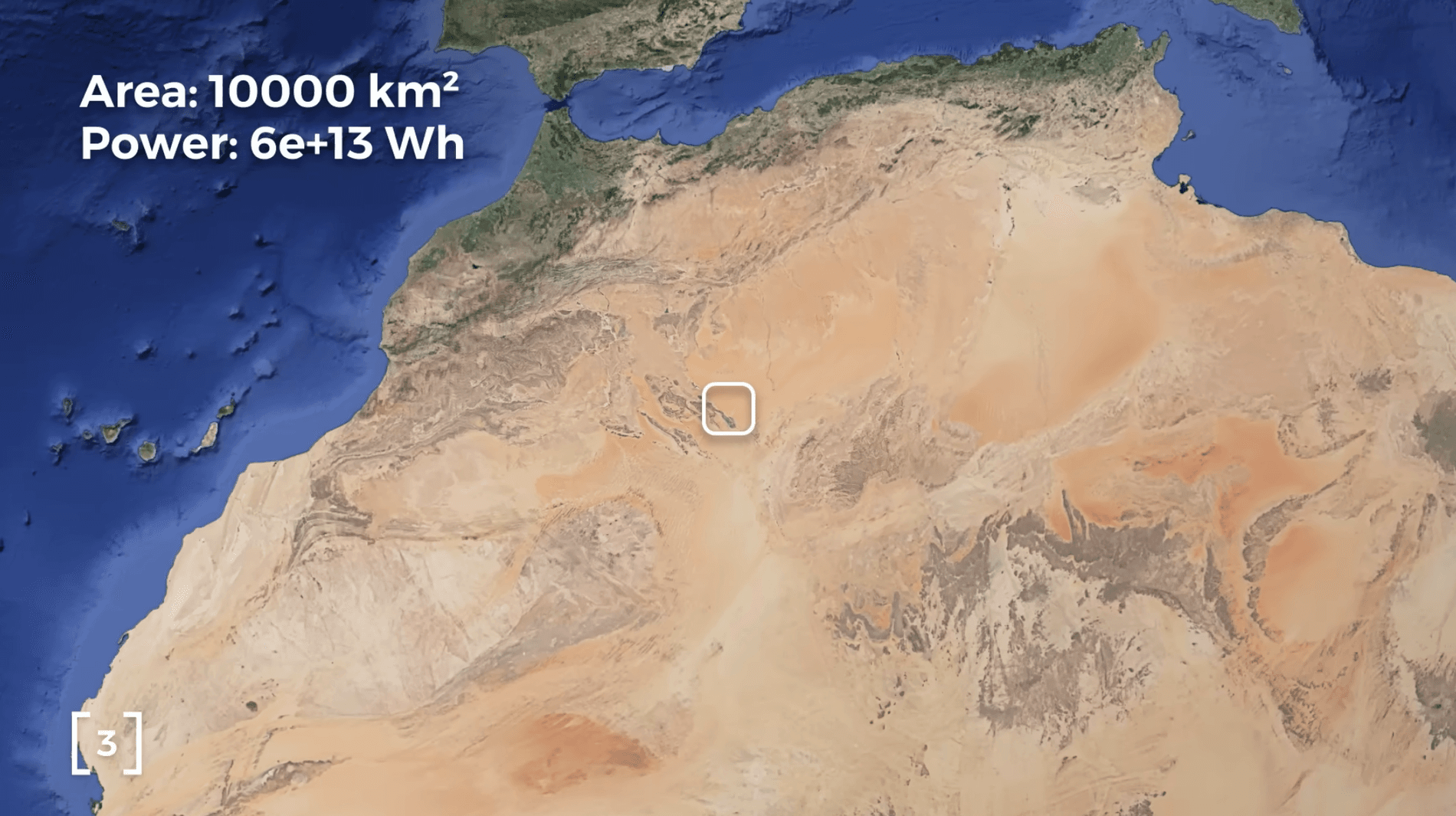
At first glance, I was blown away. Could such a small area, in comparison to the size of the Earth, generate all the energy that humanity needed? Wow! However, I didn't believe it to be accurate, so I asked a friend of mine, Daniel from Lyon/FR, who actually works on solar energy on a daily basis. He did some quick calculations and confirmed that the information was actually true.
However, the biggest challenge is not producing that energy, but distributing it to all the countries across the oceans. Other challenges include maintenance, political, and security concerns. You can watch The Problem with Solar Energy in Africa for more details.
Moving to the software world, this approach is similar with organising files by type, putting the same type of files in the same folder. For example:
├ App.ts
│
├ /routes
├ /controllers
├ /services
├ /templates
├ /utils
└ /types
Apparently, at a very large scale, this approach is not efficient. But what about small-scale? Surely there are a lot of teams that use this approach and are quite happy with it. Is there an inflection point when organising files by type is not the best approach? Why is this solution present all over the web, while some developers prefer other structures?
To answer all these questions, let's move to a totally different example, analysing how hospitals are distributed at different scales. Going forward, you can think of hospitals as a certain type of files in
our project, reusable or not, for instance, services.
controllers,utils, templates, etc.Let's start from the smallest settlement and slowly evolve to larger ones.
The Village Doctor
I don't think there is a single village, at least in Romania, that has its own hospital. There might be a general practice doctor's office or even a small medical centre, but not an actual hospital. In case of an emergency, people living in villages usually travel to their closest town.


Tiny projects, like personal experiments or school assignments, usually have zero or little structure. Most likely, there is no reusable code, except 3rd party libraries. The entire code is often written in a single file because there isn't a lot of it.
└ App.ts
Villages usually have from hundreds to a couple of thousands inhabitants, similar in size to "tiny projects" if we think about lines of code. As the project grows in size, we could group similar types of code together, separating them using code comments:
/* Routes */
...

/* Controllers */
...

/* Services */
/* Templates */
/* Utils */
/* Types */
When the project exceeds several thousands lines of code, the single file approach is not manageable anymore, so we would split it into several files.
The Town Hospital
Towns usually range from several thousand to a few tens of thousands of inhabitants. Most of them also have their own hospital, with general practice doctors and specialised ones as well. Larger hospitals might even include specialised clinics inside the same building.
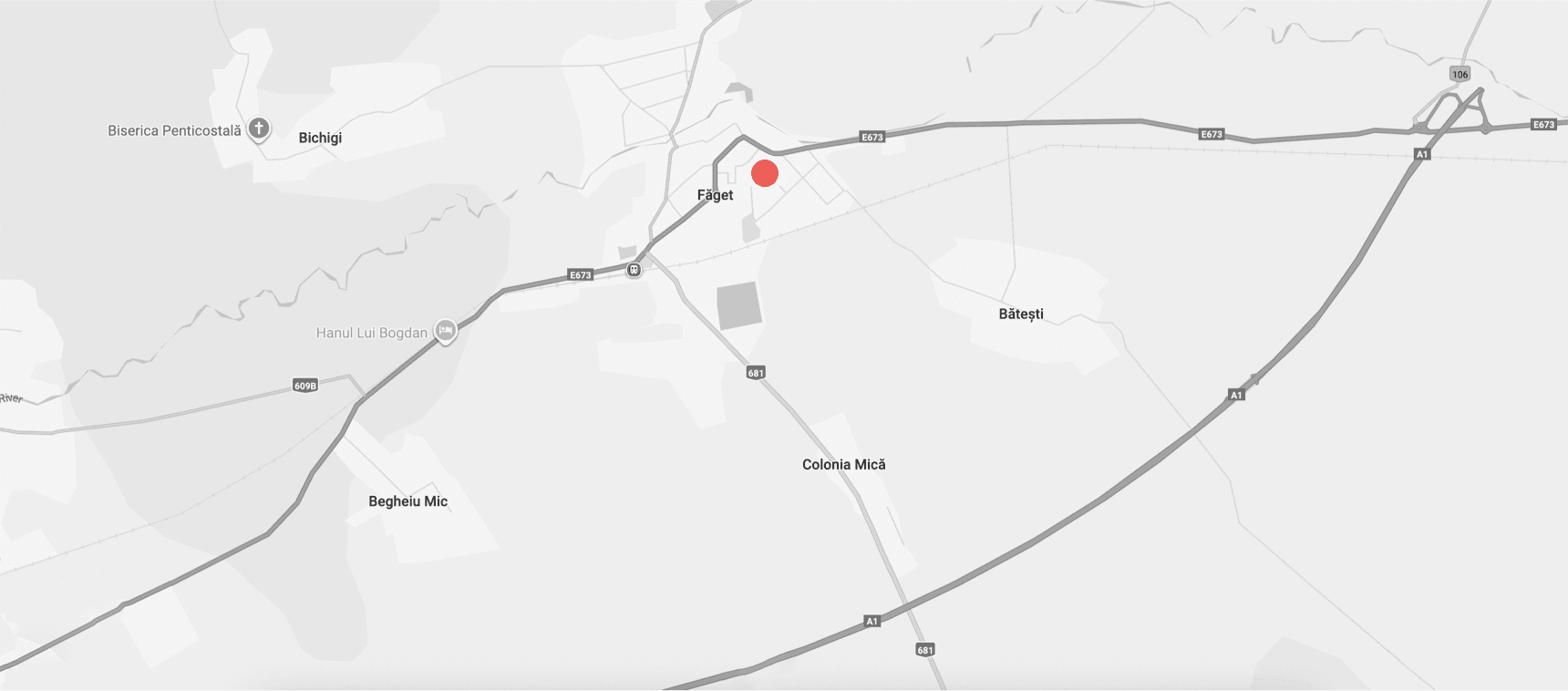
This is a perfect example of small-scale projects, where we can safely place all the code of a certain type in the same file.
├ App.ts
│
└ /src
  ├ routes.ts
  ├ controllers.ts
  ├ services.ts
  ├ templates.ts
  ├ utils.ts
  └ types.ts
Now, this approach works well until those files get large enough. At some point, it will get difficult to use the source code, because we would have to search through a long list of exported functions.
It's not an issue when we just added a new function at the end of a large file and import it right away, as we know its name because we just wrote it. The problem occurs if we follow this approach at a large scale, where we don't know the name of the function, and we have to search for a function that implements a specific functionality. It could have been written by us a long time ago. It could have been changed, or completely written by a different person. Or it might not exist at all.
Eventually, we would group functions based on their domain, to facilitate easier discovery, also using code comments:
/* UserAccount services */
...

/* Subcription services */
...

/* Invoice services */
...
When we see this pattern occur, it is a strong smell that we should split it apart into multiple files.
The same pattern also occurs in real life. As medicine includes multiple disciplines, hospitals are also split into multiple specialised departments or even different buildings.
City Hospitals
Larger cities usually have multiple hospitals. For instance, Timisoara has more than 12 hospitals, scattered throughout the city. Some of them are larger, including multiple disciplines. Others are specialised in orthopedics, pediatrics, cardiology, infectious diseases, gynaecology, oncology, and more.
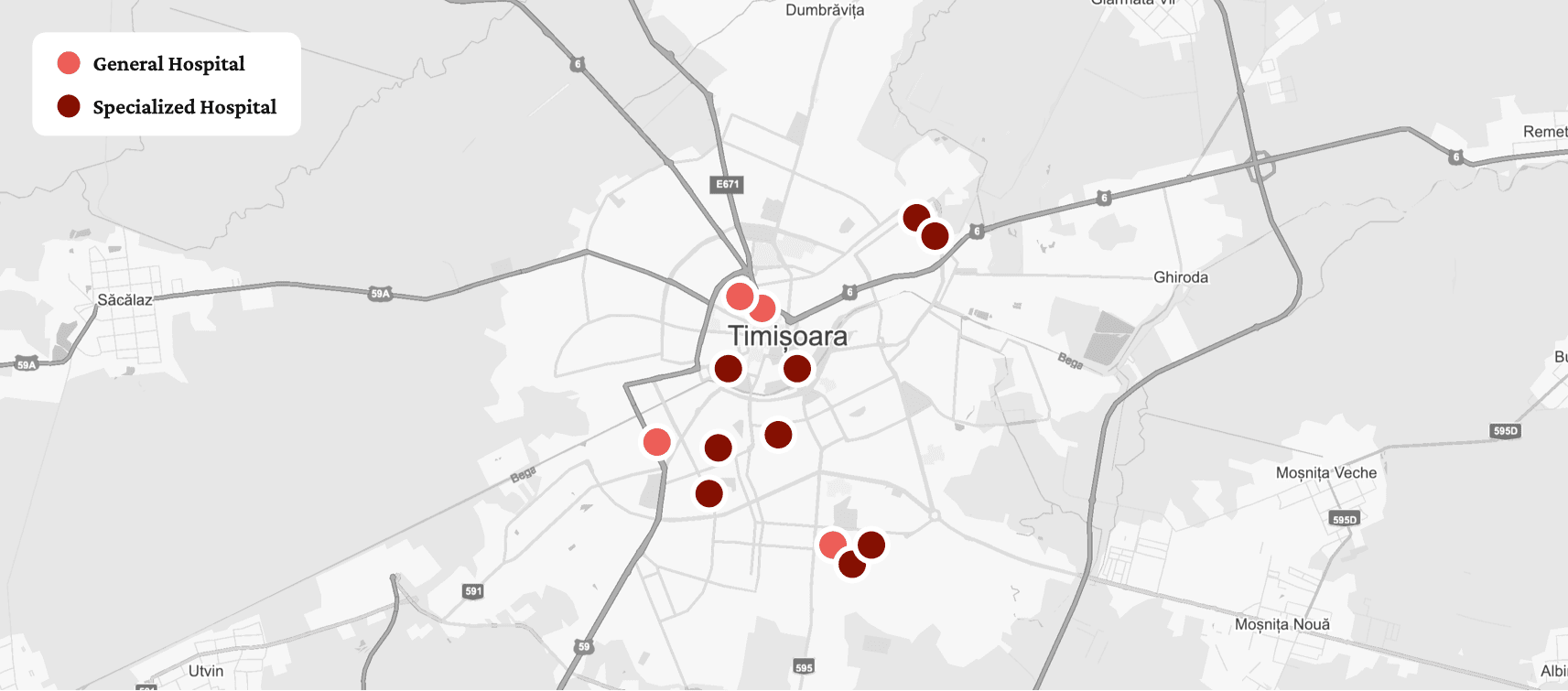
As a natural and organic evolution, we would also break large single files into multiple specialised files. This approach enables us to identify much quicker the code we're looking for, based on its domain.
├ App.ts
│
└ /src
  ├ /services
  │ ├ UserAccount.service.ts
  │ ├ Subcription.service.ts
  │ └ Invoice.service.ts
  │
  ├ /routes
  ├ /controllers
  ├ /templates
  ├ /utils
  └ /types
It's worth noticing that it comes naturally to place all the files of a certain type within the same folder. For instance, putting all the *.service.* related files into a /services folder.
At a small or even medium scale, this approach works well. However, when we increase the scale even further, we encounter another issue. When implementing a new feature or changing an existing one, we usually work on a low number of domains, regularly touching a single one. If the files are organized by type, this implies searching in different folders for the files related to the same domain.
├ App.ts
│
└ /src
  ├ /services
  │ ├ Subcription.service.ts
  │ └ ...
  ├ /routes
  │ ├ Subcription.routes.ts
  │ └ ...
  ├ /controllers
  │ ├ Subcription.controller.ts
  │ └ ...
  ├ /templates
  │ ├ Subcription.template.ts
  │ └ ...
  ├ /utils
  │ ├ Subcription.utils.ts
  │ └ ...
  └ /types
    ├ Subcription.types.ts
    └ ...
A subfolder like /services, might end up containing 100+ files. Unless we're performing some big refactoring, it's unlikely we'll be touching all the files of a single type.
At a large scale, it's not efficient to put all the files of the same type in the same folder, just as it's not efficient to place all the solar panels in the same area.
So, let's see how hospitals are organized at large scale by looking at their distribution within a whole country.
Country-wide distribution
If we zoom out from the city level to the country level, we see that each large city has its own set of hospitals. It wouldn't make sense to place all the hospitals in a single area, forcing people to travel large distances. Remember the African Solar Energy problem.

It's more beneficial for the citizens when the cities have their own hospitals. Not to mention it's more scalable, since different cities have different needs. They are free to self-manage. Smaller cities might have a single hospital. Large cities could have multiple hospitals specialised in the same discipline.
Going back to the file structure, the domains are the actual cities from real life. They are meant to serve the local citizens primarily. Therefore, at large-scale software, grouping files by their domain makes more sense and is more efficient.
├ App.ts
│
└ /src
  ├ /Subscription
  │ ├ Subcription.routes.ts
  │ ├ Subcription.controller.ts
  │ ├ Subcription.service.ts
  │ ├ Subcription.template.ts
  │ ├ Subcription.utils.ts
  │ └ Subcription.types.ts
  │
  ├ /UserAccount
  │ └ ...
  │
  └ /Invoice
    └ ...
With this approach, all the files of a single domain/entity/concept/feature are colocated in the same folder. Colocation, as a general approach, provides better maintainablity on the long term for large-scale projects.
Responsability separationAnother big advantage of domain-driven file structures is that it enables defining and even enforcing boundaries between domains. There might be multiple teams working on the same project, but each team would own specific domain(s).
Ok, but what about even larger scale? Is there any other approach that works better? Well, not if we look at the global distribution of hospitals. Regardless of national, continental, or global scale, the hospitals are built to serve the needs of a single settlement. They are never concentrated into a single area in order to serve multiple cities.
Hybrid approaches
While the theory is solid, the practice of grouping files by domain proves to be not that easy to implement and maintain. The challenges usually vary from application to application, but some typical ones include:
- It's often not obvious in which domain to place certain files. For instance, should files concerning
BillingInformationbe placed in theUserAccountdomain, as there is a one-to-many relationship between the two entities? Or should it be placed in theSubscriptiondomain because there's also a one-to-one relationship there? - It's debatable when to create a new domain or when to extract files from an existing domain to a new one. For instance, the above
BillingInformationcould be extracted in its own domain folder. But what about something likeUserPreferencesthat's tightly coupled withUserAccount? There's usually a grey zone when deciding to extract. - Where shall we place code shared by very few domains, that doesn't make sense to stay in its own domain? We could place it in a separate
Shareddomain, but that might end up bloated, containing an awkward mix of unrelated code. - What about domain-agnostic code? Should we create a separate folder for it? Or should we mix domain-specific and domain-agnostic code?
The truth is that grouping by domain brings some notable challenges to the table. The development team has to spend more time debating files and folder structure. Domain-Driven Design is meant to demystify the questions above, but keep in mind, there are no black or white answers.
In the end, all the approaches discussed so far are quite dogmatic. In real life, it doesn't help to blindly follow a single school of thought. Therefore, a more practical and realistic solution is to consider a hybrid approach, mixing different methods to address our own needs.
We could combine packaging by layer, by type, and by domain at different levels. In the following example, we'll look at a single page application folder structure.
Group by layer├ App.ts
│
├ /pages
├ /modules
└ /shared
The first level of folders are groupped by layer, resembling the Onion Architecture proposed by Jeffrey Palermo or Clean Architecture coined by Robert C. Martin. They differ in many detailed aspects, but all have in common the concentric layers anatomy and the dependency direction between them.
App.tsis the entry point in our application;/pagesfolder represents the outer layer, containing the page components assigned to the routes, along with all specific and non-reusable components and logic;/modulesfolder represents the middle layer, containing domain-specific logic along with any domain components reused by multiple pages;/sharedfolder represents the inner layer, containing any abstract/non-domain specific logic, reused by multiple pages or modules;
Going deeper into the layers, the /modules folder follows a grouping by domain structure, because here is where we encapsulate the core of our domain code. Each subfolder will contain the logic of each domain entity:
├ App.ts
│
├ /pages
│
├ /modules
│ ├ /Subscription
│ ├ /UserAccount
│ └ /Invoice
│
└ /shared
However, each folder containing domain entities follows a grouping by type approach.
├ App.ts
│
├ /pages
│
├ /modules
│ ├ /Subscription
│ │ ├ /components
│ │ │ ├ PaymentPlans
│ │ │ └ BillingForm
│ │ │
│ │ ├ Subcription.api.ts
│ │ ├ Subcription.actions.ts
│ │ ├ Subcription.reducer.ts
│ │ ├ Subcription.service.ts
│ │ ├ Subcription.utils.ts
│ │ └ Subcription.types.ts
│ │
│ ├ /UserAccount
│ │ └ ...
│ │
│ └ /Invoice
│   ├ Invoice.service.ts
│   └ Invoice.types.ts
│
└ /shared
This is where we'll place the types, DTOs, services, constants, utils, helpers, etc. In case of a backend application, we might also have routes, a controller, database models, templates, etc. Single-page applications, on the other hand, might include data stores, UI components, hooks, API layer, etc.
Notice that not all domain folders must have the same set of files.
Since the /shared folder doesn't contain domain code, we must also follow a grouping by type approach, colocating in separate folders files of the same type:
├ App.ts
│
├ /pages
├ /modules
│
└ /shared
  ├ /services
  ├ /helpers
  └ /constants
We could include domain-agnostic and application-wide services, helpers and utils, constants, hooks, types, wrappers of 3rd party libraries, you name it.
The example above follows an eclectic mix of principles and methods discussed in this article. It is not meant to provide a holy grail solution. However, if it fits your needs, you can use it as is, or get some inspiration from it.
To be noted that it is not only a theoretical example. The above structure is used in a fairly large project, with 4k files totalling 700K lines of code, written over the course of 9+ years.
To conclude
Organising project files is not different than the distribution of any other public service that we use in real life. To synthesize everything we talked about:
- Tiny projects with hundreds up to a few thousand lines of code don't really require any specific structure. We might even place all the code into a single file.
- Small to medium projects with tens up to a few hundred thousands lines of code benefit from grouping code by type, colocating all files of the same type in the same folder.
- Large projects with many hundreds of thousands or even milions lines of code benefit from grouping code by domain, colocating all file types of the same domain in a folder.
Grouping by type seems to be the natural evolution of software projects, which might explain its high popularity and wide adoption.
In contrast, grouping by domain or by layer require explicit effort and significant knowledge of Domain-Driven Design and Architectural Boundaries described by software architectures like Onion, Clean, or Hexagonal just to name a few.
However, eventually we would probably end up using a hybrid solution, combining multiple approaches to address the needs of our own projects and development team(s).